
Product Launch Mosaic Wall Activation Example
An illustrative product-launch Mosaic Wall plan covering artwork, guest flow, reveal timing, physical and digital options, data capture and handover.
A product launch can invite guests to help create the reveal, not just watch it. This is an illustrative planning example, not a named MooMuu client event or a report of measured campaign results. Use it to shape your brief, then agree the artwork, participation plan and delivery details with us.
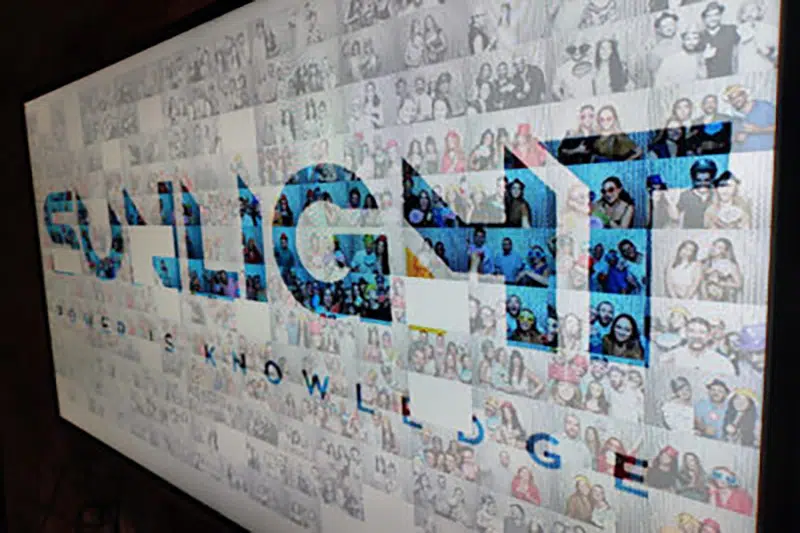
Imagine a fragrance launch where portraits gradually build a bottle-shaped campaign image. A photo mosaic wall gives the room a shared activity; the launch presentation still tells the product story. Here is how the two could work together.

1. Choose the right format
Photo Mosaic Wall turns guest phone uploads into a shared physical artwork. Guests scan the event QR code or use the dedicated upload webpage to submit a photo, then add its printed, coded tile to the wall. MooMuu’s team guides participation and manages the mosaic build.
In this example, the reveal happens on the physical grid. A separate screen-based mosaic is not automatically included. If guests need to contribute from other locations, consider the digital option below before choosing your layout.
2. Give the master image one clear job
For the fragrance launch, the master image could feature the bottle against a simple contrasting background. Approve the source artwork, campaign wording and print design with the brand team before production. Avoid relying on small type or intricate packaging details to explain the launch from across a room.
Choose what guests should recognise first: the product, a campaign portrait or a launch message. Review that choice alongside the tile quantity and viewing distance, rather than selecting the largest wall by default.
3. Make participation easy to understand
Use a short invitation: scan the event QR code, upload a photo and add its tile to the shared image. Place the QR-code display where guests can notice it without blocking arrivals, catering or the route to the presentation. Leave room for the tile station, tile placement and clear sightlines to the developing artwork.
Coordinate the event QR-code signage, tile station and wall presentation with the venue and brand team. MooMuu does not supply props. If you are also booking a separate booth, our guide to choosing a photo booth covers its practical questions.
4. Plan the reveal around realistic contributions
Agree expected participation, the tile plan and the operating window together. Guest numbers are not guaranteed contributions: some people may return, while others may choose not to take part. A tile total is not a count of unique guests or an hourly throughput promise.
If the finished image is needed before a speech, confirm completion arrangements and a contingency for lower participation. The organiser and MooMuu should know who cues the reveal; the clock alone does not complete the artwork.
5. Confirm venue access and timings
Share the floor plan, access route, power location and event schedule before agreeing the installation. Confirm the complete operating footprint, suitable step-free access and the guest route with the venue. Separate setup and breakdown access from the booked operating hours.

Keep the wall visible without narrowing walkways or emergency routes. If the room changes from reception to presentation, plan whether furniture, lighting or guest movement will affect the activation.
6. Decide what you want to measure
MooMuu can provide data capture. Agree the fields, guest-facing explanation, intended use and reporting scope before booking. Submitting a photograph through the event upload webpage is not, by itself, permission for marketing or proof of a qualified lead.
Keep contributions, photos delivered, public social posts and follow-up enquiries as separate measures. Decide how each will be recorded. A completed mosaic can support launch content, but it does not demonstrate increased sales or guaranteed reach.
7. Plan handover and any remote participation
The completed physical artwork is yours to keep unless the proposal says otherwise. Agree safe handover and transport, and confirm any framing, gallery, digital output or event photography separately. Explain any intended reuse of guest images.
The separate Digital Mosaic accepts photos through a QR code or branded link, including from remote guests. It builds on screen and delivers a high-resolution digital artwork. Choose attended on-site delivery or remote monitoring during an agreed window; reliable internet, display arrangements and optional moderation are planned in advance. For a multi-office launch, agree when each location can contribute and view the reveal.
Plan your MooMuu mosaic experience
Compare the MooMuu collection, then enquire about the physical Mosaic Wall Live or ask about Digital Mosaic. Share your date or approximate month, venue, guest numbers and the image you would like to build. Tell us whether people will participate on-site, remotely or both.