

Planning a Print-Free Digital Booth for a Corporate Event
Plan a self-service Digital Booth experience around your corporate event. Consider guest flow, operating hours, branding, power and connectivity, then agree the practical details with MooMuu so the booth fits your venue, programme and audience.
A photo booth works best when it has a clear place in the event. For a conference reception, team celebration or exhibition stand, MooMuu’s Digital Booth gives guests a self-service way to create photographs, GIFs and boomerangs, with digital content to keep and share. It is print-free, so there is no printer or print-collection table.
The planning starts with three questions: where will the booth sit, when will people use it, and how should the photographs look? Getting those decisions right makes the experience feel considered from the first tap.

Give the booth a purpose
Decide what you want the experience to add. At a team celebration, that might be a relaxed moment for colleagues to take a photograph together. At an exhibition, it might be a branded activity within your stand. At an awards evening, it might sit alongside the drinks reception.
Use that purpose to guide the location, operating hours and design. A clear brief is more useful than trying to include every possible feature.
Plan the space around the guests
The Digital Booth is compact, but its position needs to account for people as well as equipment. Allow room to approach the screen, pose together and step aside afterwards. Keep the area clear of doorways, registration desks and main routes through the venue.
Look at what will appear behind your guests. A considered venue setting may work well; a busy service area is less useful. A large freestanding backdrop is not included as standard, so discuss available background options or a backdrop you plan to supply. MooMuu does not supply props.
Send a room plan or a photograph of the proposed position when you enquire. Include the nearest power point and any access restrictions.
Match the timing to your programme
Choose operating hours around the moments when guests can take part. For a conference, look at breaks and the reception that follows. For an exhibition, consider the hours your stand will be open and when your team expects the most visitors.
Keep delivery, installation and collection separate from the guest-facing timings in your brief. MooMuu delivers, installs and tests the booth before use, so agree access with the venue and identify a contact who can show the team to the setup area. Confirm the operating period and collection arrangements in your proposal.
Keep the design clear
The welcome screen and digital photo design can carry your event identity or campaign artwork. Supply your logo, colours and any required wording early, then review how they work together on screen and around the photograph.
Give faces room. A simple frame and a well-placed logo usually communicate more clearly than several messages competing with the image. If the booth is part of a wider activation, share the stand or backdrop design too, so the experience feels consistent.

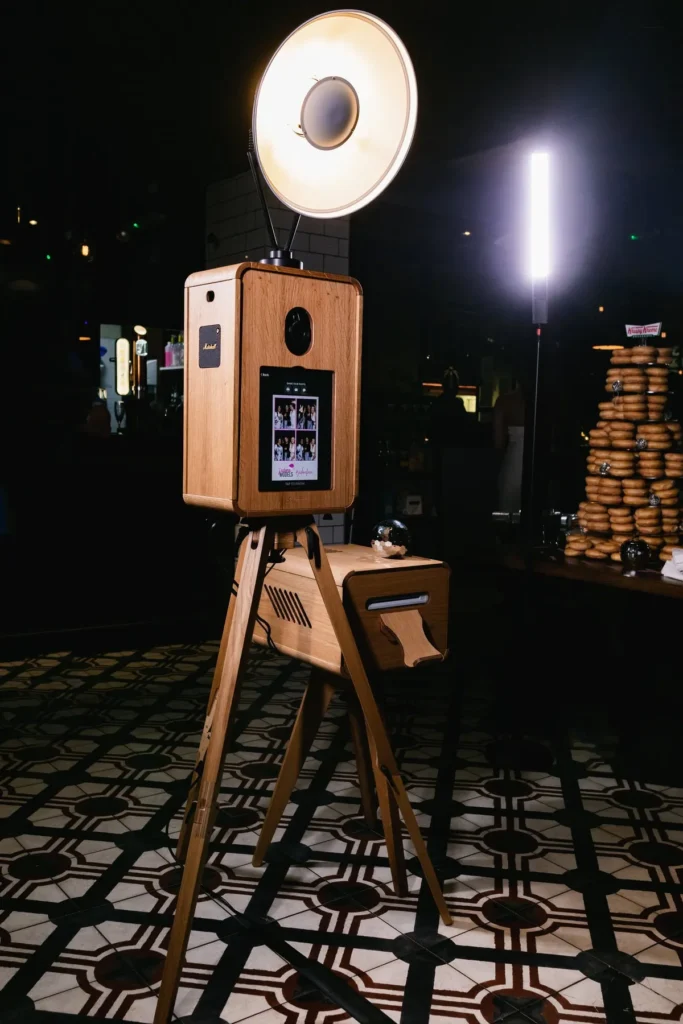
Browse the Digital Booth gallery for examples of the booth, guest interactions and different event settings.
Agree how sharing will work
Guests can access their content through QR code, SMS or email. Live sharing requires a reliable internet connection, so discuss connectivity with MooMuu and the venue before the event.
Share what is available at the actual booth position, including any venue Wi-Fi login requirements or restrictions. Where coverage is limited, agree the delivery approach in advance. It is also worth confirming how your team will receive and access the event content afterwards.
Confirm the level of support
The Digital Booth is designed for self-service use, with on-screen instructions guiding each session. Remote support is available during the agreed operating period. Confirm any staffing requirements when you discuss your brief. If you want someone to actively welcome guests, manage participation or support a busy activation, tell MooMuu so the appropriate experience and staffing can be agreed.
Decide whether you need prints
Choose the Digital Booth when digital photographs and animated content suit the occasion. If a physical photograph is central to the guest experience, compare the corporate photo booth collection before choosing. That decision affects the setup, guest journey and package you need.
Send a brief that moves things forward
Include your event date, venue, expected guest numbers, preferred operating hours and the role you want the booth to play. Add delivery access, the proposed position, available power and connectivity, plus any branding or staffing requirements.
Explore the Corporate Digital Booth to see how the experience works and discuss the right package for your event. With the practical details agreed, your guests can concentrate on making the moment their own.