
How to Create Shareable Event Content
A practical approach to event content: choose a useful output, test the guest delivery route, keep sharing optional and measure results honestly.
To create shareable event content, make something guests want to keep and make it straightforward to receive. Clear photography, a relevant creative idea and a working delivery route are more useful than asking everyone to post.
Sharing remains the guest’s choice. No booth, visual style or AI feature guarantees social posts, reach or enquiries. Plan the content and its delivery carefully, then judge the results you can actually observe.

1. Define the content before choosing the equipment
Decide whether the priority is a portrait, a short moving capture, a transformed image or a shared artwork. Then consider where the result will be used: a guest’s phone, a wedding album, a campaign recap or an internal event report. Those uses may need different framing and artwork.
Luxury Oak and ICON offer colour portraits, prints and digital sharing. Signature GLAM creates black-and-white portraits. The Digital Booth is the self-service, print-free option for digital photographs, GIFs, boomerangs and short videos.
The Digital Booth includes installation, testing, collection and remote support; an attendant does not normally stay on site. Agree the guest instructions and support contact rather than assuming every format has an on-site host.
2. Give guests one clear creative invitation
A prompt such as taking a portrait with a colleague or choosing a prepared visual theme is easier to explain than several competing tasks. Show guests what they will receive and leave room for people to watch, participate or decline.
The AI Experience creates interpreted portraits within an agreed style. An AI Graffiti Wall invites guests to create on a digital canvas, with optional AI Line 2 Life transformation. They are different activities; decide which action supports your event brief before selecting the visual treatment.
3. Design for the finished size
Review a sample on a phone as well as on the presentation screen. Check whether faces remain prominent, names or logos are legible and decorative elements leave enough space around the photograph. Test the formats you intend to deliver instead of assuming one layout will suit every use.
MooMuu does not supply props. Use the backdrop, lighting, composition and approved artwork to create the look. If you want to bring accessories, discuss their suitability and placement first. A visually busy setup can also make the guest instructions harder to find.
4. Test the whole delivery route
Before guests arrive, test the agreed method from capture through to receiving and opening the finished file on a phone. Where your package uses QR code, email or SMS delivery, check that the instructions match the route being offered. Confirm the connection requirements and the arrangements if on-the-day connectivity is interrupted.
A printed keepsake and a digital download serve different purposes. Agree both if you need both; do not assume every print-free or artwork experience includes the same gallery, file types or delivery options.
5. Keep sharing and marketing choices clear
A suggested event hashtag or account tag can be a simple invitation, not a condition of participation. At a private celebration, some guests may prefer to keep their photographs for themselves. Do not frame that as a failed interaction.

MooMuu can provide data capture. Agree the information requested, purpose, consent wording and delivery arrangements before the event. Receiving an image, joining a marketing list and allowing a brand to reuse a portrait are different matters to plan; one should not be presented as automatically covering the others.
6. Plan the content you will use afterwards
Decide who will select images for your recap, who approves them and what guest-image permissions need to be checked before reuse. Include this in the event brief, rather than expecting the booth output to arrive as an edited marketing campaign.
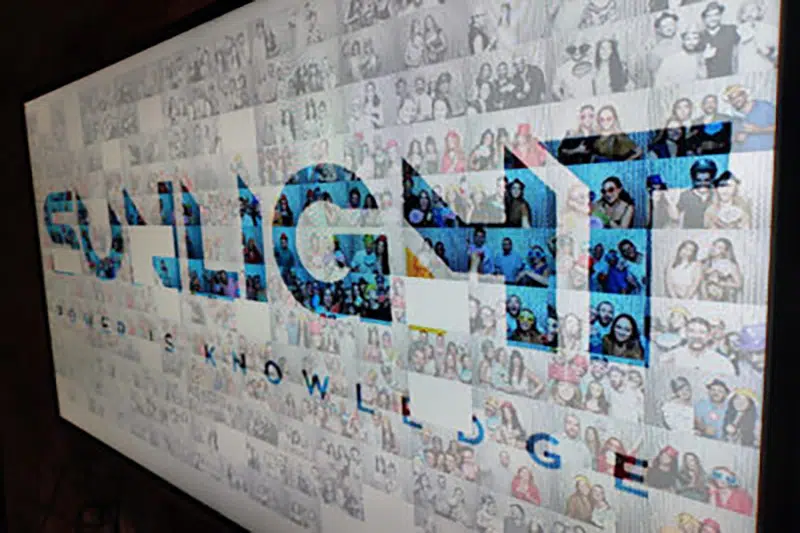
If a collective result matters more than individual posts, a Digital Mosaic combines guest photographs into a shared image and can include contributions from different locations. Agree the upload journey, any moderation, display and final artwork delivery.
7. Measure what happened, not what you hoped happened
Choose a small set of useful measures and confirm which are available for your setup. Captures, downloads, visible public posts and subsequent enquiries are different counts. A download is not proof of a social post, and private sharing may not be observable.
Use the results to improve the next event: where guests hesitated, whether delivery worked and which creative options they chose. Avoid claiming reach, sales or a sharing rate that the available information cannot support.
Plan content around your event
Explore MooMuu’s photo and creative experiences or send us your content brief. Tell us your date or approximate month, venue, audience and intended output, along with any branding or data-capture needs. We will check suitability and availability; an enquiry does not reserve your date.