
How Interactive Experiences Can Generate Event Content
Turn an event-content idea into a clear production brief, with distinct photo and artwork formats, guest choices and realistic delivery expectations.
Interactive experiences can create guest portraits, personalised artwork and shared displays. To make that material useful after the event, decide who it is for, where it will appear and what needs to be delivered. Content planning should support a good guest experience, not turn participation into an obligation to promote your brand.
The AI Experience, illustrated below, transforms a guest photograph using a pre-developed creative style. It offers a different result from a conventional event portrait. Agree the visual direction and test samples beforehand: AI results can vary, and a transformed scene is a creative interpretation, not a record of something the guest actually did.

Decide how the content will be used
Separate guest keepsakes from your organisation’s content needs. A photograph sent privately to its subject, an image displayed during the event and a portrait reused in an advert are different uses. Tell MooMuu which uses you have in mind so delivery arrangements and the information given to guests can be planned appropriately.
List the actual deliverables. You might want individual digital portraits, selected print designs or a record of a mosaic reveal. A recap film, behind-the-scenes footage or edited social posts should be briefed separately; they are not automatically included because an installation creates interesting moments to photograph.
Approve the creative details before the event
Share brand guidelines, intended channels and the required image dimensions. Check whether names, logos and key details remain readable in the final crop. MooMuu does not supply props; agree backgrounds and any separate styling in advance. Prints, animation and other optional outputs should appear in the proposal, not be inferred from examples.
With AI portraits, agree the approved styles and review samples before launch. Explain the cloud-based AI process to guests before they participate. Avoid presenting transformed portraits as documentary photographs, endorsements or evidence that someone attended an imagined location. A clear description helps the creative treatment make sense to its audience.
Match the output to the experience
Signature GLAM produces black-and-white portraits with controlled lighting, prints and digital sharing. Oak and ICON offer attended colour photography. The Digital Booth is self-service and print-free, with remote support; an attendant does not normally stay on site, and a large freestanding backdrop is not included as standard.
AI Sketch Bots create illustrations that robotic arms draw with real pen on paper. The drawing process can be interesting to film, but filming it requires its own plan. Confirm the digital output you need alongside the physical portrait, rather than assuming a finished video or content library is part of the hire.
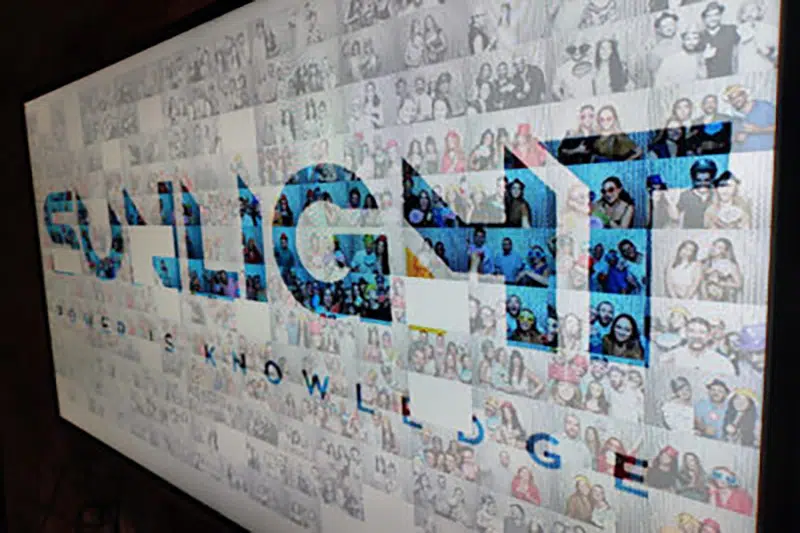
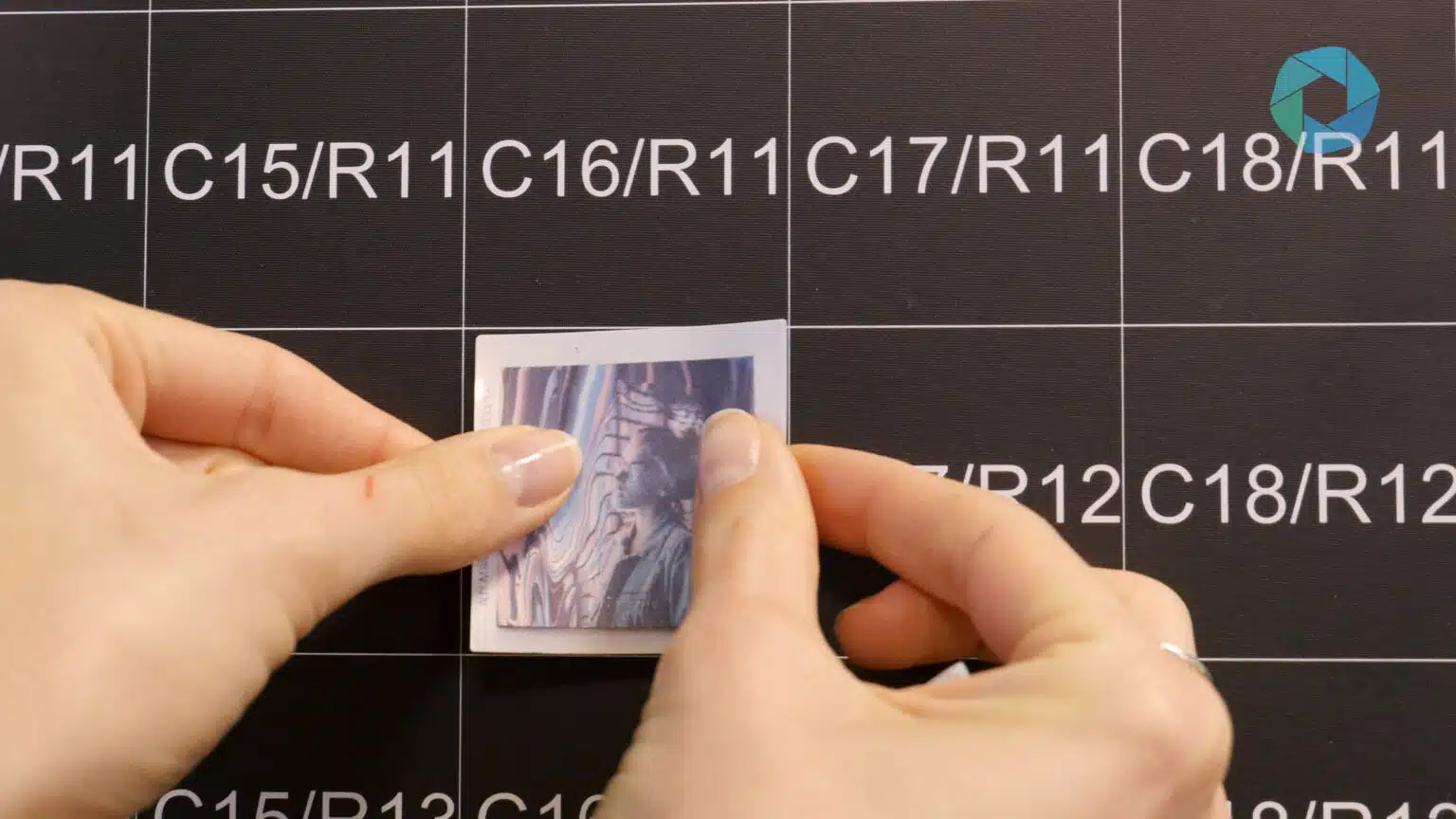
Photo Mosaic Wall uses guest phone uploads to create printed, coded tiles for a physical artwork. Guests contribute through an event QR code or dedicated webpage. The separate Digital Mosaic builds an artwork on screen and can accept remote contributions.
Plan artwork delivery as well as creation
The AI Graffiti Wall is a digital canvas used with digital spray cans, without physical paint. AI Line 2 Life is optional. Agree how finished artwork will be saved, delivered or displayed, and whether any process footage is required. It does not automatically build a photo mosaic.
Make guest choices and data capture clear
MooMuu can provide data capture for corporate experiences. Agree the fields, purpose, consent wording, guest choices and handover requirements before the event. Requesting a photograph is not consent to marketing. If marketing consent is sought, make it a separate, clear choice and explain who would contact the guest and how.
Agree any planned public display or later promotional use of images before capture, with suitable notices and permissions. Have the person responsible for privacy review the intended uses and follow-up process. Confirm access, retention and deletion arrangements for your event; do not assume that a delivery gallery is a permanent archive or unrestricted marketing library.
Measure distinct outcomes
Captures, unique participants, downloads, marketing opt-ins and qualified conversations are not interchangeable. A returning guest may create several images. A download does not prove a social post, and a photo recipient is not automatically a sales lead. Agree which measures can actually be supplied; reach, sales and conversions are not guaranteed.
Confirm the file formats, recipient, delivery method and timing, plus any agreed data or reporting handover. Check required integrations separately: data capture does not automatically mean CRM syncing. For weddings and private events, focus on accessible keepsakes and an agreed gallery or handover rather than campaign metrics.
Tell MooMuu what you want your event content to achieve, along with the date, venue, audience and preferred experience. We can help define the outputs and guest journey. An enquiry or availability check does not reserve your date.