Your Guide to Branded Mosaic Wall Planning
Brief a branded Mosaic Wall with clear objectives, approved artwork, realistic contributions, venue requirements, data capture and an agreed reveal and handover.
Start a branded mosaic brief with two questions: what image should guests build, and what should taking part achieve? A team celebration, launch and exhibition can use the same format for different reasons. Choose one clear priority before adding campaign messages.
This guide focuses on MooMuu’s physical Mosaic Wall, with a separate planning route for digital and remote participation.

1. Choose the physical or digital format
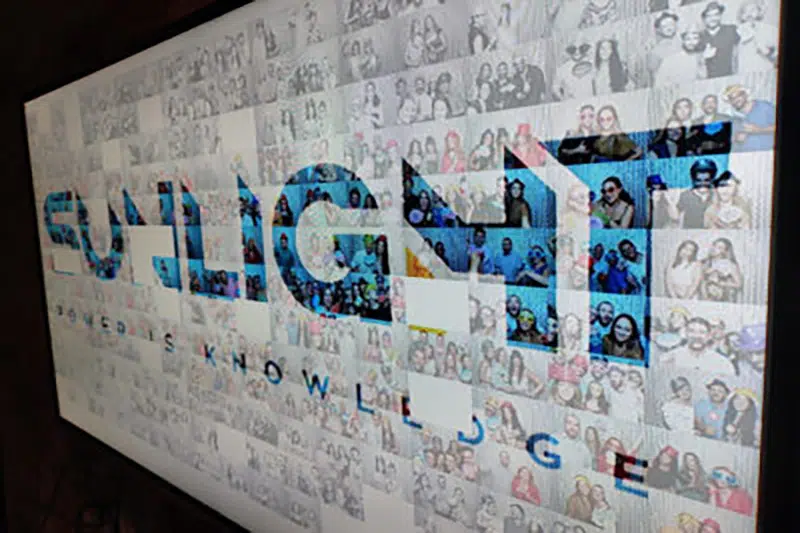
Photo Mosaic Wall turns guest phone uploads into a shared physical artwork. Guests scan the event QR code or use the dedicated upload webpage to submit a photo, then add its printed, coded tile to the wall. MooMuu’s team guides participation and manages the mosaic build.
Choose the separate Digital Mosaic for photo submissions through a QR code or branded link, an on-screen reveal or participation across different locations. Agree internet, AV, optional moderation and either attended on-site delivery or remote monitoring during an agreed operating window.
2. Give the artwork a clear job
The master image could show a product, campaign visual, portrait or event identity. Send the proposed image, logos, brand colours and wording for the wall header and print design. Ask MooMuu to confirm suitability, production deadlines and the approval process.
Keep the composition readable from across the room. Small text and fine detail may need simplifying for a mosaic. Name one person to gather feedback and approve the final artwork so conflicting versions do not reach production.
3. Plan the upload journey and guest flow
The uploaded photographs are part of the finished artwork, so agree the guest guidance and event QR-code position as well as the master image. If you also book a separate photo booth, review backdrop styling for that service alongside the actual venue lighting and your campaign colours.
MooMuu does not supply props. Use the agreed master artwork, wall header, QR-code signage and tile-station presentation to carry the brand. Any client-supplied decorations, specialist framing or extra set dressing need to be discussed separately and kept clear of the working area.
4. Make the guest invitation simple
Explain the sequence: scan the event QR code, upload a photo and add its coded tile to the shared image. Position the QR-code display where people can see it, with a clear route between the tile station and wall. Guests should be able to watch without blocking those taking part.
For a wider branded photo activation, agree who introduces the experience and how it fits around demonstrations, talks or networking. Keep participation optional and plan any assistance guests may need.
5. Set a realistic contribution and reveal plan
MooMuu’s physical walls are typically designed around approximately 400–800 contributions, with bespoke capacities available. That is an artwork tile plan, not a promise of hourly throughput or that many unique attendees.
Share expected footfall, operating hours and likely busy periods. Agree the target reveal time and completion arrangements if participation is lower than expected. A short break cannot be assumed to accommodate everyone.
When comparing interactive brand activations, look at what guests do and what you receive, not just the biggest number in the proposal. Allow space and time for any planned photograph of the finished wall.

6. Confirm the complete venue requirements
A 700-tile wall is approximately 1.4m × 1.25m. Allow approximately 3m × 3m operating space, depending on wall size, for the complete activity rather than the board alone. Confirm the actual floorplan with MooMuu before signing it off.
Plan space for the physical wall, tile station and guest circulation, and agree where the event QR code will be displayed. MooMuu will confirm access, power and the complete layout with the venue.
7. Define data capture and useful measures
MooMuu can provide data capture. Agree the required fields, guest choices, data delivery and intended follow-up before the event. Entering details when uploading or submitting a photograph does not automatically mean agreeing to marketing.
Keep completed interactions, requested follow-ups, downloads and public shares separate. A photo tile is not necessarily a unique attendee, and participation is not automatically a qualified lead. Specify what reporting is actually available for your chosen setup.
8. Agree handover and subsequent use
The completed physical artwork is yours to keep unless the proposal says otherwise. Confirm the recipient, transport and any separate framing arrangements. Digital Mosaic provides a high-resolution digital artwork instead; additional galleries or files should be confirmed in the brief.
Plan internal recaps or campaign reuse around the assets you will actually receive. Agree permissions, data handling and brand approvals before publication. The final proposal should connect your objective, creative choices, guest journey, operating plan and deliverables.
Plan your MooMuu mosaic experience
Compare the MooMuu collection, then enquire about the physical Mosaic Wall Live or ask about Digital Mosaic. Share your date or approximate month, venue, guest numbers and the image you would like to build. Tell us whether people will participate on-site, remotely or both.