
How to Personalise Wedding Guest Photos
Learn how to personalise wedding guest photos with refined styling, thoughtful details and design-led experiences guests will want to keep.
To personalise wedding guest photos, start with the finished photograph: the people in it, the portrait style and the small details that connect it to your day. Names, a date, a monogram or artwork from your stationery can make a print or digital image feel yours without taking attention away from your guests.
With MooMuu, personalisation depends on the experience you choose. Agree the available print, screen and digital-design options before preparing artwork, then use a clear proofing process so the final result is ready for the wedding.

Choose colour, monochrome or digital-only first
Signature GLAM offers attended black-and-white portraits with printed photographs and digital sharing. Its finish combines professional photography, controlled lighting and bespoke image processing, with a black or white backdrop.
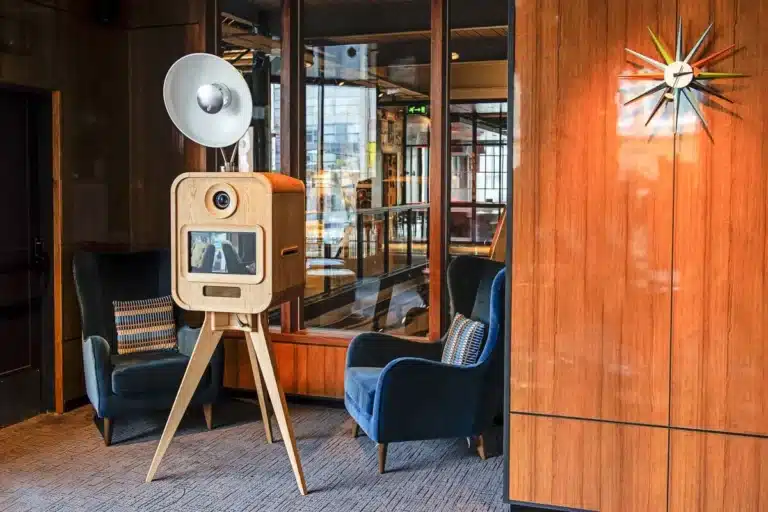
The Luxury Oak Booth and ICON Booth offer attended colour photography, personalised prints and digital sharing. Their rear touchscreen galleries also form part of the guest experience.
The Digital Booth is self-service and print-free, creating digital photos, GIFs, boomerangs and short videos. It includes delivery, installation, testing, collection and remote support; an attendant does not normally stay on site. Its screen and digital design can be personalised for the event.
Choose through genuine image examples and the support you want. Prints and digital sharing are available together on the attended booths, so a mixed guest list does not require you to choose one output for everyone.
Give the artwork a simple direction
Share the exact names and date, any monogram or illustration you want to use, and a reference from your wedding stationery. Tell MooMuu which colours and typefaces matter most, and ask what file format and dimensions are needed for the selected design.
A short line of text can be enough. Keep faces and the photograph itself prominent, and check that lettering remains readable in the finished print or on a phone. Use artwork you have permission to reproduce; if your stationer created it, ask them for the appropriate files.
A personalised photo template is not the same as a custom physical backdrop, booth wrap or scenic installation. Those requests need separate discussion of availability, supply, costs and installation.
Coordinate the backdrop without overcomplicating it
Use the backdrop to support the photographic style. Signature GLAM has a black or white portrait background. Luxury Oak includes a choice of backdrop or flower wall, with available options confirmed for your booking. Agree the ICON backdrop with your setup; Digital Booth does not include a large freestanding backdrop as standard.
Our wedding backdrop guide explains the practical differences. If a florist, stylist or venue is supplying extra decoration, share the proposal with MooMuu before anything is ordered or installed.
MooMuu does not supply props. Photographs can feel personal through expressions, outfits and the people together in them. If you would like to bring accessories yourself, discuss suitability and placement with us in advance.

Check the design before approving it
Nominate one person to collect feedback and sign off the final proof. Check names, spelling, punctuation, date, image space and any small text. Confirm the print format and quantities in the package, and agree the artwork deadline directly with MooMuu.
View the proof in the format guests will receive where possible. A design that looks clear enlarged on a laptop may feel busy on a small print. Changes should be agreed before the event rather than assumed possible during the operating period.
Make room for the people in the photographs
Think of the groups you would love to capture: siblings, old friends, different generations or the two of you together. Let people choose how they pose, and leave time in the schedule for your own visit to the booth.
The attendant supports guests on Luxury Oak, ICON and GLAM during the agreed operating hours. Plan a visible location with room for posing and collection, away from exits and service routes. For all digital sharing, confirm the venue connection in advance.
Decide how you want to keep the memories
A compatible photograph-and-message guestbook can pair a portrait with a personal note. Confirm the book, additional photograph and assistance in the quotation, and allow space for people to write without holding up the next group.
If you would like guest photographs to contribute to a larger shared image, explore the Mosaic Wall as a separate experience. It is not automatically included with a personalised photo-booth package; the capture arrangement, final image and practical setup need their own brief.
Make the photographs feel like your wedding
Compare the MooMuu options, then tell us about your wedding and artwork ideas. Send your date or approximate month, venue, guest numbers and preferred photographic finish. We can help you choose the experience and confirm how it can be personalised.